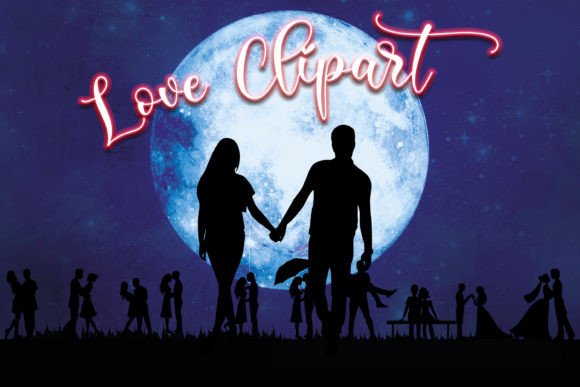
Couple in Love Clipart: Essential Tips for Choosing and Using Romantic Design Elements
Romantic imagery serves as the emotional backbone for countless creative projects, from wedding invitations to nursery decor. When searching for the perfect visual element, Couple in Love Clipart offers a versatile solution that bridges the gap between professional design and heartfelt personal expression. However, simply downloading any romantic illustration does not guarantee a polished final product. Many creators overlook critical technical details regarding file formats, resolution, and licensing, which can lead to frustrating results during printing or digital implementation.
Understanding the nuances of these design assets is crucial for anyone looking to elevate their work. Whether you are a seasoned graphic designer using Adobe Illustrator or a hobbyist utilizing Cricut Design Space, making informed decisions about your clipart selection ensures that your projects look professional and print correctly. This guide addresses common pitfalls and provides actionable advice to help you maximize the value of your design resources.
Understanding File Formats and Compatibility
One of the most frequent mistakes creators make is ignoring the specific file types included in a download pack. A high-quality set of couple in love clipart should ideally include both vector and raster formats to accommodate different workflows. For instance, SVG (Scalable Vector Graphics) files are essential for users working with cutting machines like Cricut Explore or Silhouette Cameo. These files allow you to resize images without losing quality, which is vital for creating large posters or intricate stickers.
Conversely, PNG files with transparent backgrounds are indispensable for digital designs, such as blog headers, web graphics, or layered compositions in software like Photoshop. A common error is attempting to use a JPEG image for a project requiring transparency. JPEGs always have a solid background, usually white, which forces designers to spend extra time manually removing backgrounds—a process that often results in jagged edges and poor quality. By ensuring your package includes PNGs with transparent backgrounds, you save significant editing time and maintain a clean, professional aesthetic.
Before purchasing, always verify that your software supports the provided formats. While SVGs are widely accepted in modern cutting software and vector programs like Inkscape and Corel Draw, some older or basic editing tools may only support raster images like PNG or JPG. Checking compatibility beforehand prevents the disappointment of buying a resource you cannot effectively use.
The Importance of Resolution and Dimensions
Resolution is another area where beginners often stumble. An image might look crisp on a computer screen but appear pixelated and blurry when printed. This happens when the resolution is too low for the intended output size. Professional-grade clipart should typically be offered at 300 PPI (pixels per inch) for print-ready files. For example, if a design element is sized at 18″x 17″ at 300 PPI, it will print sharply on invitations, posters, or nursery prints.
A frequent oversight is assuming that all files in a bundle share the same quality. Some packages may mix high-resolution PNGs with lower-quality web-optimized images. Always check the specifications for each file type. If you are designing a large wedding banner, a 3600 x 3600 px image is suitable, but for small scrapbooking elements, ensure the detail remains clear even when scaled down. Using low-resolution images for large-format prints results in a amateurish appearance that can detract from the sentimental value of your project.
Additionally, consider the aspect ratio of the artboard. An 18″x 17″ dimension offers a nearly square format, which is versatile for various layouts. However, if your project requires a wide landscape orientation, you may need to crop or combine elements creatively. Understanding these dimensions helps you plan your composition more effectively, avoiding last-minute resizing issues that distort the artwork.
Licensing and Commercial Use Considerations
Many entrepreneurs and small business owners forget to review licensing terms before using clipart in commercial products. Just because you purchased a set of couple in love clipart does not automatically grant you the right to sell items featuring those designs. Some licenses permit personal use only, while others allow limited commercial applications, such as selling physical end-products like t-shirts or mugs. Fewer licenses permit the resale of the digital files themselves.
Using copyrighted material without proper clearance can lead to legal issues and account suspensions on platforms like Etsy or Amazon. Always read the license agreement included in the ZIP folder. If the terms are unclear, contact the creator for clarification. Respecting intellectual property rights not only protects your business but also supports the artists who create these valuable resources. Leaving a review or rating, as requested by many creators, is a simple way to show appreciation and encourage the development of more high-quality assets.
Design Integration and Best Practices
Integrating clipart into your designs requires more than just dragging and dropping images onto a canvas. A common mistake is overcrowding the design with too many elements, which can make the final product look cluttered and unprofessional. Instead, use the clipart as focal points or complementary accents. For wedding invitations, a single, well-placed silhouette of a couple can convey romance elegantly without overwhelming the text.
Color coordination is also critical. While many clipart sets come in black and white silhouettes for easy customization, adding color requires careful selection. Ensure that the colors you choose align with your overall theme and brand identity. For nursery prints, soft pastels often work best, whereas bold, vibrant colors might suit party invitations. Testing different color combinations before finalizing your design can significantly enhance the visual appeal.
Furthermore, consider the context of your project. For digital scrapbooking, layering techniques can add depth and interest. Use the transparent PNGs to overlay images on textured backgrounds or photos. For web design, optimize file sizes to ensure fast loading times without sacrificing quality. Balancing aesthetic appeal with technical performance is key to successful digital implementation.
Maximizing Value Through Versatility
A comprehensive clipart set offers more than just standalone images. Look for bundles that include additional assets like wallpapers or thematic backgrounds. For instance, a package containing 18 sky wallpapers and moon elements can provide a cohesive look for your projects. These additional resources allow you to create complete scenes rather than isolated figures, enhancing the storytelling aspect of your designs.
Utilize these elements across various mediums. The same couple silhouette used in a wedding invitation can be adapted for social media posts, blog headers, or even physical merchandise like stickers and tote bags. By thinking creatively about application, you maximize the return on investment for your purchase. Experiment with different software tools to discover new ways to manipulate and enhance the base images, turning simple clipart into unique, customized artwork.
In conclusion, selecting and using couple in love clipart involves attention to detail, technical knowledge, and creative foresight. By prioritizing high-resolution files, understanding format compatibility, respecting licensing agreements, and applying thoughtful design principles, you can create stunning, professional-quality projects that resonate with your audience. Avoid common pitfalls by doing your due diligence before purchasing, and always aim for clarity and elegance in your final compositions.